Lite
For sole operators and small teams needing a straightforward shared phonebook.
A$25 + GST / month
- 2 team-member logins included
- 25 device equivalents included
- 500 contacts included
More team-member logins? Upgrade required.
Enquire about Lite → Z Assorted Works
Keep team and client contacts in one place, organise them across your sites and make them available to compatible desk phones. RPR Secure (RPR-S) brings contact management, supported imports, self-service setup and built-in ticket support together in three hosted plans.
Hosted plans · enquire about availability
Plans from A$25 + GST / monthLite · Standard · Business · Australian dollars per month, excluding GST
Tell us about your business and phone setup. We will confirm compatibility, availability and the right setup option.
Plan and usage prices are Australian dollars, per month, excluding GST. Contact and device-equivalent allowances are included usage; you can exceed them at the rates below. New support tickets cost A$2 + GST each on every plan, including with Priority support.
Enquire to confirm availability and compatibility. Team-member limits are firm on Lite and Standard.
For sole operators and small teams needing a straightforward shared phonebook.
A$25 + GST / month
More team-member logins? Upgrade required.
Enquire about Lite →For small businesses needing more team access and device capacity.
A$40 + GST / month
More team-member logins? Upgrade required.
Enquire about Standard →For larger teams managing more contacts and connected devices.
A$50 + GST / month
Additional team members: A$0.50 + GST per member/month.
Enquire about Business →Device usage is measured using your average eligible sync requests per hour across the billing month. One device syncing once every hour represents one device equivalent. Devices syncing more frequently consume more equivalents.
A team member is a person with a portal login. Contacts are entries in your phonebook. Neither is the same as a device equivalent.
| Feature | Lite | Standard | Business |
|---|---|---|---|
| Monthly price | A$25 + GST | A$40 + GST | A$50 + GST |
| Team-member logins included | 2 | 5 | 50 |
| Device equivalents included | 25 | 50 | 400 |
| Contacts included | 500 | 1,000 | 10,000 |
| Additional team members | Upgrade required | Upgrade required | A$0.50 + GST per member/month |
| Additional contacts | A$0.10 + GST per 50/month | A$0.10 + GST per 50/month | A$0.10 + GST per 50/month |
| Additional device equivalents | A$0.40 + GST each/month | A$0.40 + GST each/month | A$0.40 + GST each/month |
| New support ticket creation | A$2 + GST per new ticket | A$2 + GST per new ticket | A$2 + GST per new ticket |
Swipe the table to compare all three plans →
Device-equivalent charges use average eligible sync requests per hour across the billing month, rather than a simple count of physical phones. A faster sync frequency can increase usage charges.
Every plan includes access to the ticket system, with A$2 + GST charged per new ticket. Add Priority support for a faster initial response target, or agree to one-to-one assistance when you need hands-on help.
A$2 + GST / new ticketLite · Standard · Business · including Priority support
Ticket creation fees are added to your next monthly invoice. Replies and reopening an existing ticket do not create another ticket charge.
Billing status: Invoice issuing and payment collection are pending completion of the invoicing integration. No retroactive charges apply.
Read the support billing terms →First response target: within one working week.
No monthly support add-on. Each new ticket costs A$2 + GST.
+ A$20 + GST / month
First response target: within one working day.
The A$2 + GST creation fee still applies to each new ticket.
Critical incidents are prioritised across all plans. Response targets concern the initial response, not a guaranteed resolution time.
A$60 + GST / hourTracked in minutes · billed monthly for the previous month
Agreed one-to-one setup, importing, training or assistance is charged separately. Submitting a ticket does not itself authorise hourly work. Priority support changes the ticket-response target; it does not include free one-to-one assistance or a discounted hourly rate.
Ask about assistance →When contact details change, separate spreadsheets and handset directories can quickly fall out of step. RPR Secure gives your team one place to maintain its phonebook, helping reduce repeated updates.
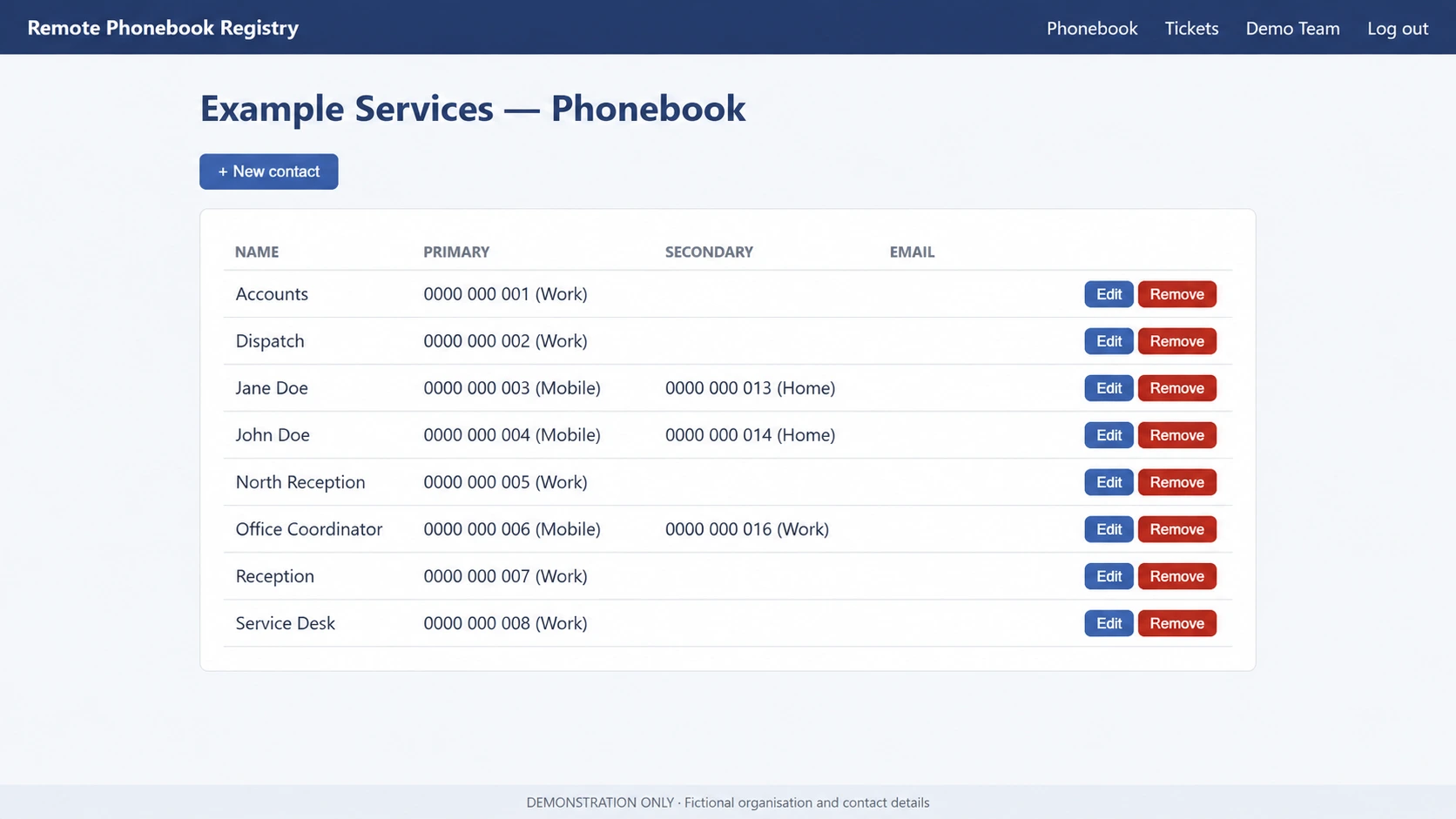
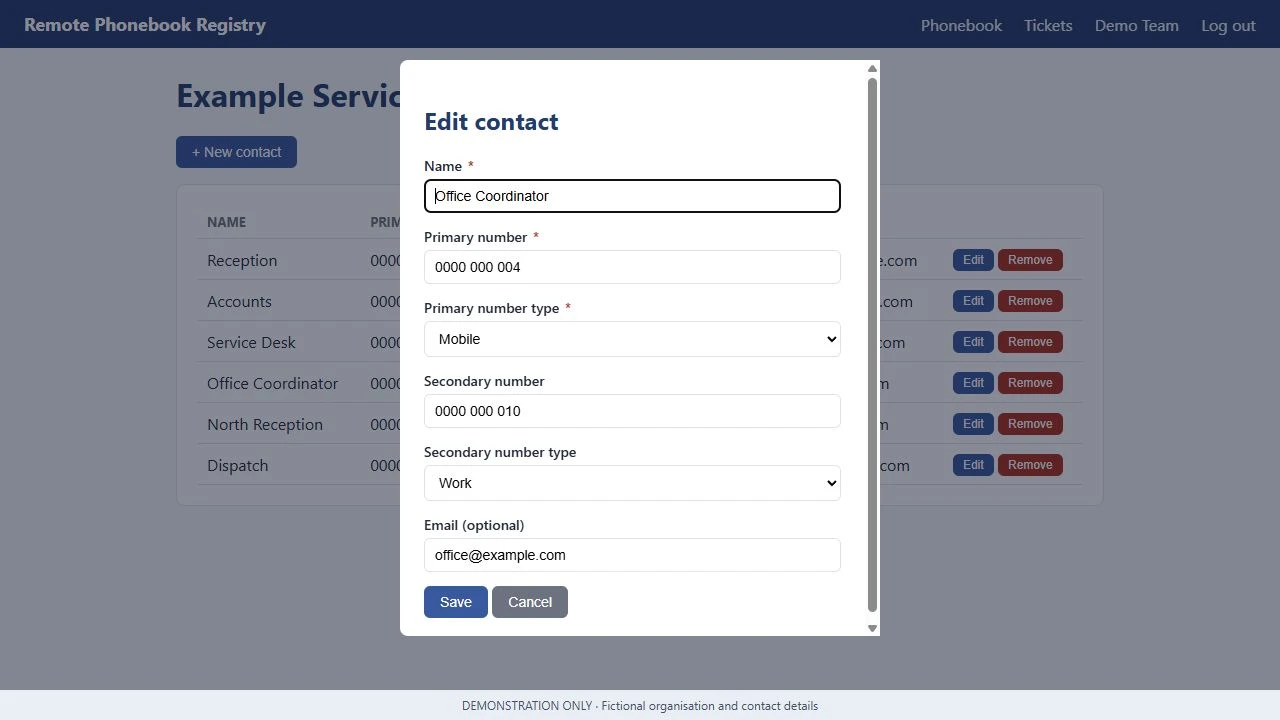
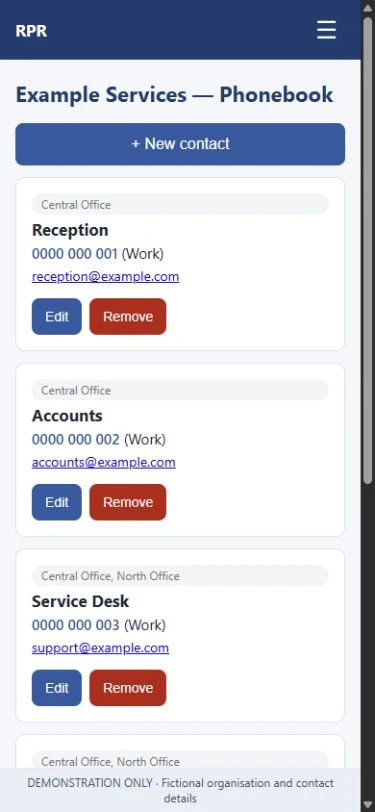
Add, edit and remove contacts in your organisation’s portal. Store a primary number, an optional secondary number, number types and an optional email address.
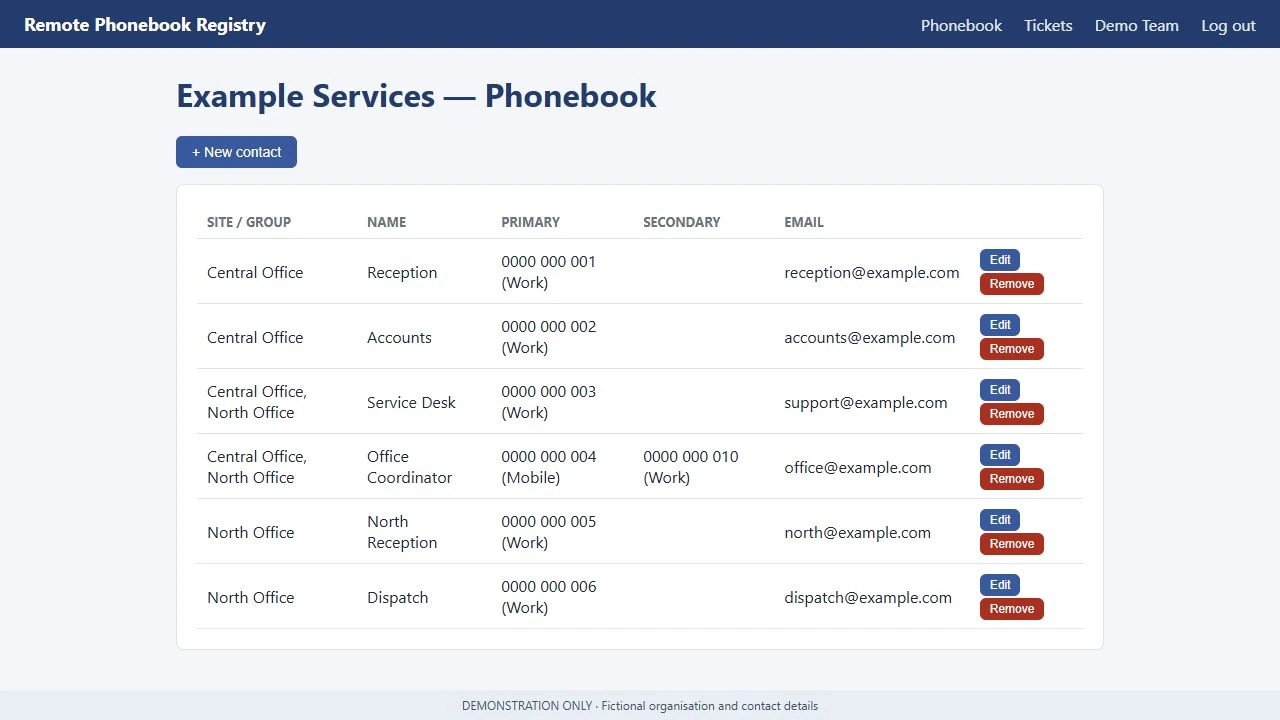
Organise your directory by site and share contacts across locations. Keep site-specific and shared contacts together in your organisation’s phonebook.
View and maintain contacts through a mobile browser. Phone and email links open your device’s calling and email apps.
Once supported phones are configured, they retrieve the directory from RPR Secure. Changes become available when each phone next fetches or refreshes its phonebook. We will confirm device compatibility against the release before setup.
Where supported and configured, phones can display a saved client’s name when they call. Caller matching and refresh behaviour depend on verified handset support, configuration and the incoming number.
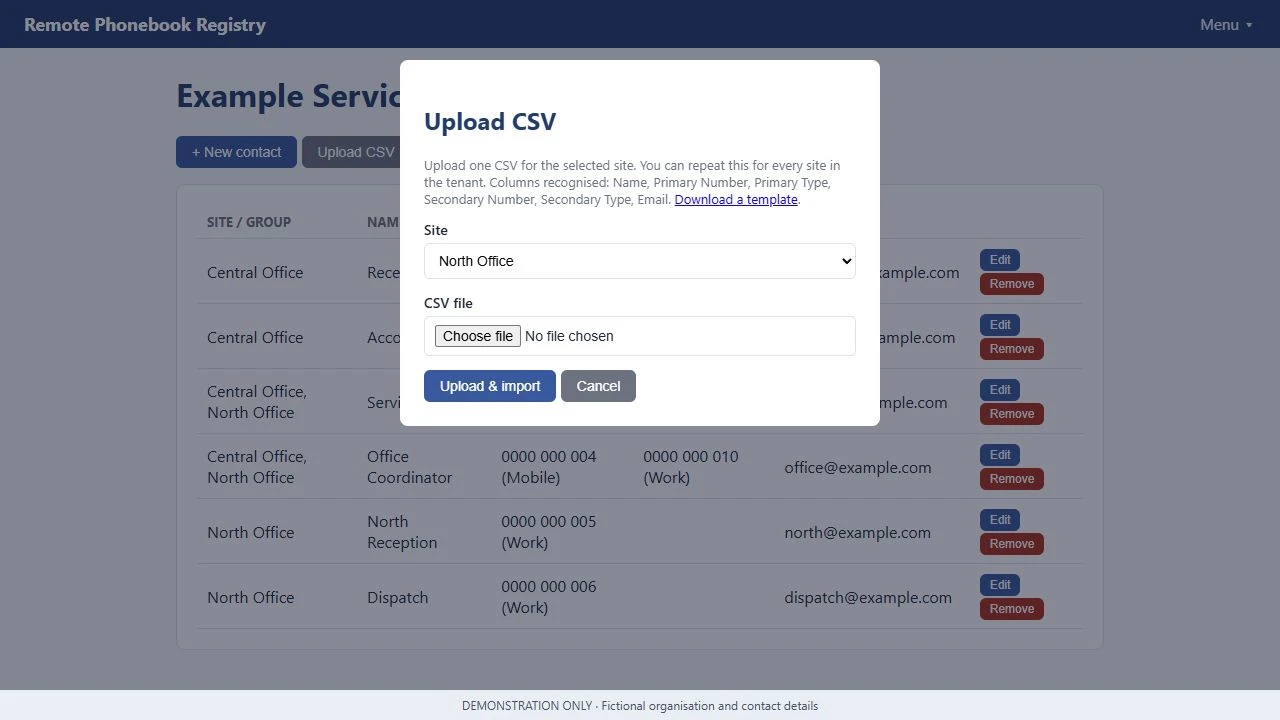
Supported contact imports and self-service setup are included with every plan. We will confirm supported file formats against the release. One-to-one importing or setup assistance costs A$60 + GST/hour, tracked in minutes and billed monthly for the previous month.
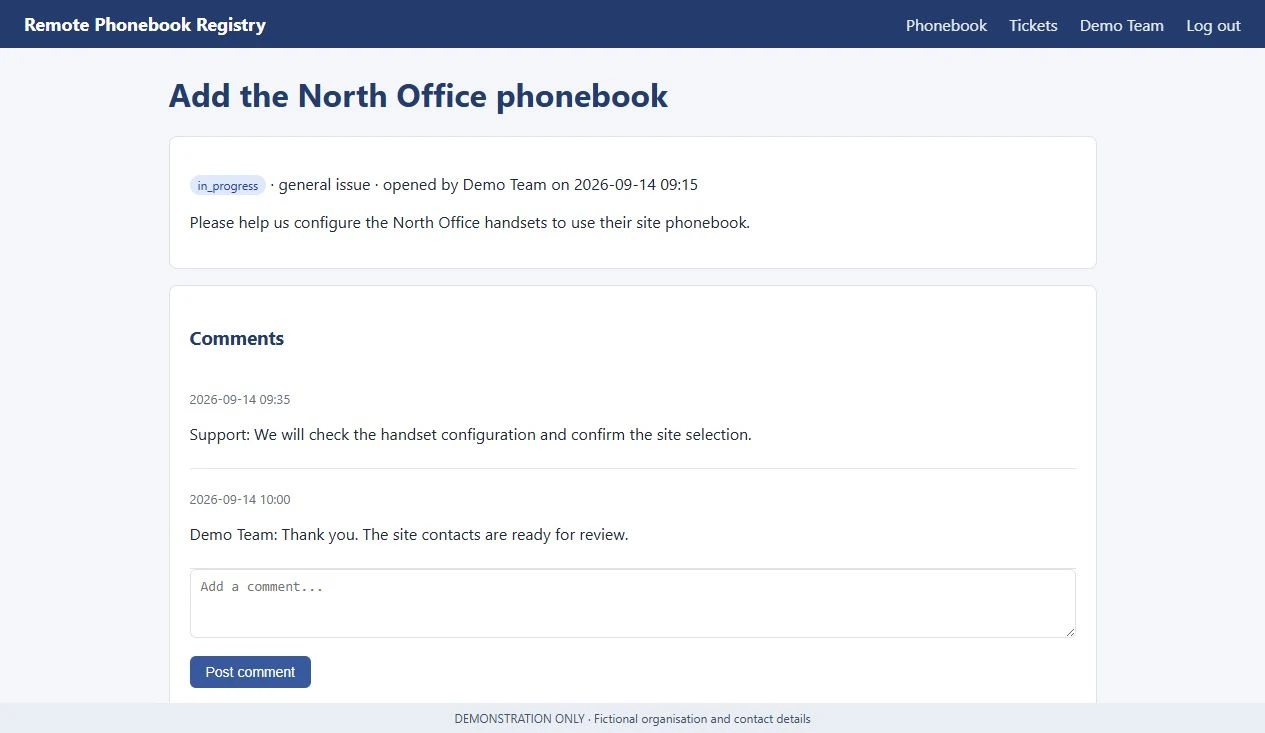
Create a support ticket in your portal for A$2 + GST, then add replies and follow its status. Replies and reopening the same ticket do not create another ticket charge. Optional Priority support changes the initial response target; the creation fee still applies.
Share your team size, locations and phone models so we can confirm compatibility and availability.
We create your organisation’s access and provide the steps to get started once availability is confirmed.
Use the included self-service setup and supported imports, or request one-to-one assistance at A$60 + GST/hour.
Your team updates the portal; phones retrieve changes on their next directory fetch or refresh.
Ongoing system updates and security maintenance are included with every plan.
Routine updates are planned for 3am Brisbane time, generally on weekends. We aim to minimise disruption. Planned extended maintenance expected to interrupt service for more than 30 seconds will receive at least seven days’ notice.
Brisbane time is AEST (UTC+10). This is the proposed service policy until the release process is operational.
We are planning a self-hosted RPR edition for a single organisation, with the customer-side experience on your own infrastructure. It will not include additional tenant creation or the provider’s management console.
Your organisation or IT provider will manage the local environment, network access and database backups on your own schedule. Limited support will be available for additional fees.
Availability, licensing, requirements and support arrangements will be confirmed separately. Hosted plan prices and service commitments are not self-hosted licence terms.
Register self-hosting interest — plannedLite is A$25 + GST/month with 2 team-member logins, 25 device equivalents and 500 contacts included. Standard is A$40 + GST/month with 5 logins, 50 device equivalents and 1,000 contacts included. Business is A$50 + GST/month with 50 logins, 400 device equivalents and 10,000 contacts included.
Lite and Standard have firm limits of 2 and 5 team-member logins respectively; more logins require an upgrade. Business includes 50 logins, with additional team members at A$0.50 + GST per member/month.
Yes. Across all three plans, additional contacts cost A$0.10 + GST per 50/month and additional device equivalents cost A$0.40 + GST each/month. These are included allowances, not hard contact or device limits.
Usage is measured using average eligible sync requests per hour across the billing month. One device syncing once every hour represents one device equivalent. More frequent syncing consumes more equivalents. Device equivalents, portal logins and phonebook contacts are different measures.
A$2 + GST per new ticket on Lite, Standard and Business, including customers with Priority support. Ticket creation fees are added to the next monthly invoice. Invoice issuing and payment collection remain pending the invoicing integration, and no retroactive charges apply.
No. Replies and reopening an existing ticket do not create another ticket charge. The A$2 + GST fee is for creating a new ticket.
Priority support remains A$20 + GST/month extra, targeting a first response within one working day. Standard support targets a first response within one working week. The A$2 + GST new-ticket fee applies to both. Critical issues are prioritised across all plans. Response targets are not resolution guarantees.
No. One-to-one setup, importing, training or assistance must be agreed separately. It remains A$60 + GST/hour for all plans, tracked in minutes and billed monthly in arrears. Priority support does not include free assistance or a discounted hourly rate.
No. The same A$2 + GST new-ticket fee applies. Critical issues are prioritised, but priority handling does not create a fee exemption.
No. JAI autonomous support is in development and is not live. Its intended first phase covers support achievable using existing product functions; software fixes and unsupported actions go to the owner. There is no automatic ticket-fee exemption based on how a ticket is resolved.
Yes. Self-service setup, contact management and supported contact imports are included with every plan. One-to-one assistance is available at the separate hourly rate.
We will confirm supported phone models and import formats against the release before setup. Contact us with your requirements so we can check the fit.
Changes become available when supported devices next fetch or refresh their directory. Timing and caching depend on the device configuration. More frequent syncing can increase device-equivalent usage.
No early-bird promotion is currently advertised. Any future promotion requires separately confirmed eligibility and terms, and Lite is excluded. No automatic future price reductions are promised.
No. All prices are Australian dollars and exclude GST. Plans, usage charges and Priority support are monthly. Support ticket creations are A$2 + GST each, added to the next monthly invoice. Agreed one-to-one assistance is A$60 + GST/hour, tracked in minutes and billed monthly in arrears.
These support terms apply to Lite, Standard and Business. All amounts are Australian dollars, excluding GST.
Example invoice line
Support ticket creations: 7 x A$2.00 = A$14.00 excluding GST.
Tell us about your team and phones. We will confirm compatibility and availability, explain the plan and help you choose the right setup option.